Subject: Learning To Install Web Tier
The objective is to install Oracle HTTP Server (OHS) with PL/SQL. My local expert recommends that we have WebLogic EM to manage it.
I hate abbreviation, but I am going to use them. It would be nice to type the abbreviation have have the software will it in with the complete name.

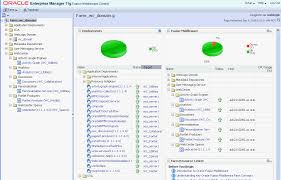
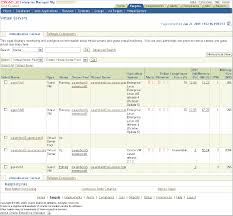
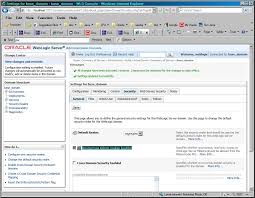


Working from this guide:
Oracle® Fusion Middleware Installation Planning Guide
11g Release 1 (11.1.1)
Using Oracle Fusion Middleware (OFM)
- Does Fusion Middleware include OHS?
- Yes - OHS is the Web server component of Oracle Fusion Middleware.
- Introduction to Oracle HTTP Server - http://docs.oracle.com/cd/E15586_01/web.1111/e10144/intro_ohs.htm
Starting a a New Oracle Fusion Middleware (OFM) User
- Create Database Schemas
- Only Oracle Web Tier, of which OHS is part, doesn't require a database.
- Repository Creation Utility (RCU)
- {Why use the existing oracle DB?}
I am going to skip this step because we are only using the Web Tier part of Fusion Middleware.
- Install Oracle WebLogic Server
- OFM requires the presence of an Oracle Middleware home directory
- directory can be created by Oracle WebLogic Server (OWS)
- 3 Running the Installation OWS in Graphical Mode - http://docs.oracle.com/cd/E14571_01/doc.1111/e14142/guimode.htm#WLSIG125
- Downloading WebLogic Server
- Middleware > WebLogic Server > Downloads - http://www.oracle.com/technetwork/middleware/weblogic/downloads/wls-main-097127.html
- {This part of what makes learning Oracle Middleware a pain in the neck. I believe that I want to use WebLogic Server 11g with OFM 11g, but the version of OWS I am downloading is 10.3.6.}
- {Using OWS with Coherence so I can use the EXE installer}
- http://download.oracle.com/otn/nt/middleware/11g/wls/1036/wls1036_win32.exe
- Install Oracle Fusion Middleware 11g Release 1 (11.1.1.2.0) Products
- {Not installing schemas because only the Web Tier is being used.}
- {Do I get the Web Tier when I install the OFM?}
- Don't configure because you must use the Patch Set Installer and update the software first.
- Oracle Web Tier
- Update Your Products to 11g Release 1 (11.1.1.3.0)
- 4 Applying the Latest Oracle Fusion Middleware Patch Set - http://docs.oracle.com/cd/E14571_01/doc.1111/e16793/patch_set_installer.htm#PATCH207
- Enterprise Manager Agent Downloads - http://www.oracle.com/technetwork/oem/grid-control/downloads/agentsoft-090381.html
- 4.5 Starting and Stopping Oracle Management Agent - http://docs.oracle.com/cd/E14571_01/core.1111/e10105/start.htm#CIHGEECJ
- opmnctl stopproc ias-component=EMAGENT
- 4.2.2 Starting and Stopping Managed Servers Using (WebLogic Scripting Tool) WLST - http://docs.oracle.com/cd/E14571_01/core.1111/e10105/start.htm#CIHBIGCD
- MW_HOME/user_projects/domains/domain_name/bin/stopWeblogic.sh username password [admin_url]
- what is oracle WLST? - http://docs.oracle.com/cd/E15051_01/wls/docs103/config_scripting/using_WLST.html
- WebLogic Scripting Tool (WLST)
- 4.2.2 Starting and Stopping Managed Servers Using WLST - http://docs.oracle.com/cd/E14571_01/core.1111/e10105/start.htm#CIHBIGCD
- (Windows) MW_HOME\user_projects\domains\domain_name\bin\startManagedWebLogic.cmd managed_server_name admin_url
- 4.2.3 Starting and Stopping Managed Servers Using Fusion Middleware Control
- If only using OWS, can start using the following
- 6 Starting Enterprise Manager Fusion Middleware Control -http://docs.oracle.com/cd/E21764_01/webcenter.1111/e12405/wcadm_start_em.htm
- automatically started when the Oracle WebLogic Server Administration Server is started.
- The WebLogic Server Administration Console - http://docs.oracle.com/cd/E12839_01/apirefs.1111/e13952/
- a Web browser-based, graphical user interface to manage a WebLogic server domain
- {No mention of Web Tier.}
Can Oracle Enterprise Manager 11g Fusion Middleware Control stand alone with WebLogic Server?
ORACLE FUSION MIDDLEWARE (OFM) RELEASE 1 (11.1.1.6)
- Looks like Oracle WebLogic Server is part of OFM.
Oracle® Fusion Middleware Release Notes
11g Release 1 (11.1.1) for Microsoft Windows x64 (64-Bit)
Part Number E14774-41
- 6 GB of storage
- certification information
- Oracle Fusion Middleware Supported System Configurations - http://www.oracle.com/technetwork/middleware/ias/downloads/fusion-certification-100350.html
- {Why do they say 'certification'?}
- 1.5.2.4 Restrictions on Specific Browsers - http://docs.oracle.com/cd/E23943_01/doc.1111/e14774/intro.htm#BHCBGIII
- 2 Installation, Patching, and Configuration
6.1 Displaying Fusion Middleware Control Console
3 Getting Started Managing Oracle Fusion Middleware
Enterprise Manager Agent Downloads
Grid control
Using the WebLogic Server Console
Oracle Fusion Middleware Oracle WebLogic Server Administration Console Online Help
11g Release 1 (10.3.1)
Finally found it. Looks like Fusion Middleware Control (Enterprise Manager) is part of WebLogic.
Installing Fusion Middleware Control 11g (Enterprise Manager)
- download
Oracle Fusion Middleware Software Downloads
- include Fusion Middleware downloads and WebLogic downloads
Ready for Install Steps
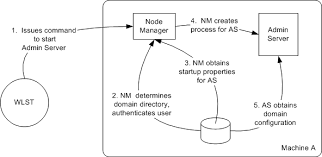
Starting an Administration Server with a Startup Script
- Administration Server is a WebaLogic server instance that maintains configuration data for a domain
Unable to download the Upgrade Installer without product support
- Update Existing Software
- Assume that the Oracle WebLogic Server is a new enough version
- download Upgrade Installer - http://docs.oracle.com/cd/E14571_01/doc.1111/e14142/prepare.htm#WLSIG195
Looks like I need to use the Generic JAR for 64 bit
Configuring and Managing WebLogic Server
Install Steps
Skipping the schemas
- Only installing Web Tier and DB should not be needed
Installing Oracle WebLogic Server - 11gR1 (10.3.6)
- Download software to install
- http://download.oracle.com/otn/nt/middleware/11g/wls/1036/wls1036_win32.exe
- Smallest EXE install
- includes Coherence
- will need to use the link to get to the EXE above - http://www.oracle.com/technetwork/middleware/weblogic/downloads/wls-main-097127.html
- Start EXE - http://docs.oracle.com/cd/E14571_01/doc.1111/e14142/guimode.htm#BABHJJIH
- Start as Admin
- Choose Middleware Home Directory
- Register for security updates
- Choose
- Choose Middleware Home Directory
- E:\Oracle\Middleware
- Register for Security Updates
- my personal one
- We will set something up later for GEMA
- Choose Install Type
- Custom because we are not going to install Coherence
- Choose Products and Components
- make sure the Coherence branch is deselected.
- JDK Selection
- Will install the selected JDKs.
- Only installing Sun SDK 1.6.0_??
- Choose Product Installation Directories
- take defaults
- Install Windows Service
- Yes and use default port of 5556
- used 'netstat -a -n' to verify that it is free
- Choose Shortcut Location
- take default of 'All Users'
Install Oracle Fusion Middleware 11g Release 1 (11.1.1.2.0) Products
- Oracle Web Tier - http://docs.oracle.com/cd/E14571_01/doc.1111/e14260/toc.htm
- Make sure that WebLogic is running
- Download Release 11.1.1.7 of Oracle WebTier Utilities 11g Windows 32bit -
- use the same as the WebLogic server - http://www.oracle.com/technetwork/java/webtier/downloads/index2-303202.html
- Start EXE as Admin
- Select Installation Type Screen
- Select Install and Configure
- Cannot down load the patch installer without a registered product.
- Specify Installation Location Screen
- Middleware home: E:\Oracle\Middleware
- Oracle Home Directory: Oracle_WT1
- this is really the Web Tier home which must be in the Middleware home directory
- Configure Components Screen
- Select everything
- Specify WebLogic Domain Screen
- Domain Host Name
- localhost
- Domain Port Number
- Says that the default number 7001
- Is this the same number as the Windows Service default port of 5556?
- This port is set in the config.xml file
- Looks like 7001 is free
- User Name
- Is the name being specified here or do we need to make sure we use a name that was specified earlier.
- I am going to assume that we are specifying the name here
- Password
- 5 to 30 characters
- begins with alphabet
- _, $, # permitted
- must include 1 number
- Specify Component Details Screen
- Can I take defaults here?
- Web Cache Administrator Password Screen
- Use the same password
- configure Ports Screen
- Auto port config
- Default port numbers: http://docs.oracle.com/cd/E14571_01/core.1111/e10105/portnums.htm#CHDIACEF
- Specify Security Updates Screen
- my personal one
- I believe this is pointless without support

No comments:
Post a Comment